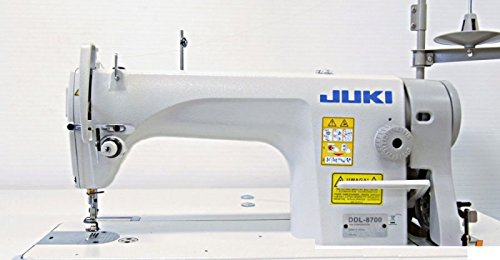

You’ve finally decided to take the plunge into machine embroidery, but the sheer number of options feels overwhelming. Maybe you’ve seen the Brother SE600 mentioned in forums, or you’re torn between it and a newer model. This review focuses on the Brother SE600 sewing and embroidery machine, breaking down its features, performance, and value for beginners and hobbyists in 2026. We’ll also compare it to its popular sibling, the SE700, to help you make an informed choice.
If you’re just starting out, you might want to check out our guide on the best entry level embroidery machine for beginners to see how the SE600 fits into the broader landscape.




Buying Guide: What to Look for in a Home Embroidery Machine
Before you settle on a specific model, it helps to understand the key features that separate a good embroidery machine from a great one. Here are the criteria we used when evaluating the Brother SE600 and its alternatives.
Embroidery Field Size
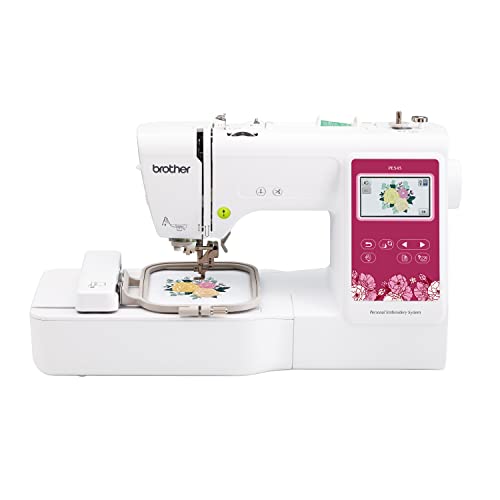
The embroidery field determines the maximum size of a single design you can stitch without re-hooping. The Brother SE600 offers a standard 4″ x 4″ hoop, which is perfect for monogramming, small patches, and decorating pockets or baby clothes. If you plan to embroider larger items like towels or tote bags, you might want to consider a machine with a 5″ x 7″ field, such as the Brother SE2000 Sewing and Embroidery Machine, which we’ve included in the comparison list above.
Built-in Designs and Stitches
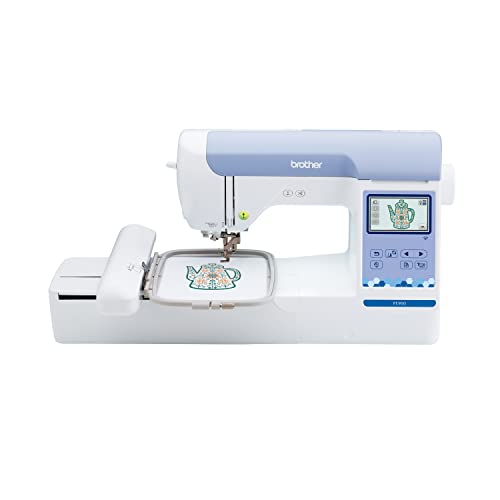
Having a variety of built-in designs and stitches saves you from buying individual patterns. The SE600 comes with 80 embroidery designs and 103 sewing stitches, which is solid for a starter machine. However, if you want more creative options right out of the box, the newer Brother SE700 Sewing and Embroidery Machine offers 135 designs and 103 stitches, plus wireless connectivity for even more possibilities.
Ease of Use and Display
A clear, color touchscreen makes editing and previewing designs much easier. The SE600 has a 3.2″ LCD touchscreen, which is functional but smaller than the 3.7″ displays found on newer models like the SE700 or the Brother PE900 Wireless Embroidery Machine. Consider how comfortable you are with technology; a larger screen can reduce eye strain and make menu navigation more intuitive.
For more insights on choosing a machine, especially if you’re thinking about selling your creations, check out our article on the top embroidery machines for your startup.
Final Thoughts
In summary, the Brother SE600 Sewing and Embroidery Machine remains a reliable and user-friendly choice for beginners who want a combo machine for basic projects, while the Brother SE700 Sewing and Embroidery Machine is a worthy upgrade if you desire more built-in designs, wireless convenience, and a larger touchscreen. Both machines offer the quality and durability Brother is known for, so your decision ultimately comes down to budget and how advanced you want your features to be.
Frequently Asked Questions
Is the Brother SE600 good for beginners?
Yes, the Brother SE600 is widely regarded as an excellent entry-level machine. Its automatic needle threader, jam-resistant drop-in bobbin, and clear touchscreen make it easy to learn. Plus, with 80 built-in designs and 103 stitches, you have plenty of options to practice without needing to buy extra patterns.
What is the difference between the Brother SE600 and SE700?
The SE700 is the newer model, offering 135 built-in embroidery designs (compared to 80 on the SE600), a larger 3.7-inch touchscreen, and wireless LAN capability for transferring designs from your computer or mobile device. The SE600 has a 3.2-inch screen and no wireless connectivity, but both have the same 4″ x 4″ embroidery field and 103 sewing stitches.
Can the Brother SE600 embroider designs larger than 4×4?
No, the SE600 is limited to a 4″ x 4″ embroidery area. To embroider larger designs, you would need a machine with a bigger hoop, such as the Brother SE2000 or PE900, which offer 5″ x 7″ fields. If you’re interested in larger projects, you might want to explore our guide on the best magnetic hoop for embroidery machine to see how accessories can help.
Does the Brother SE600 have a USB port for importing designs?
Yes, the SE600 has a built-in USB port that allows you to connect a USB drive and import your own embroidery designs in PES format. This gives you the flexibility to use custom patterns beyond the built-in ones.